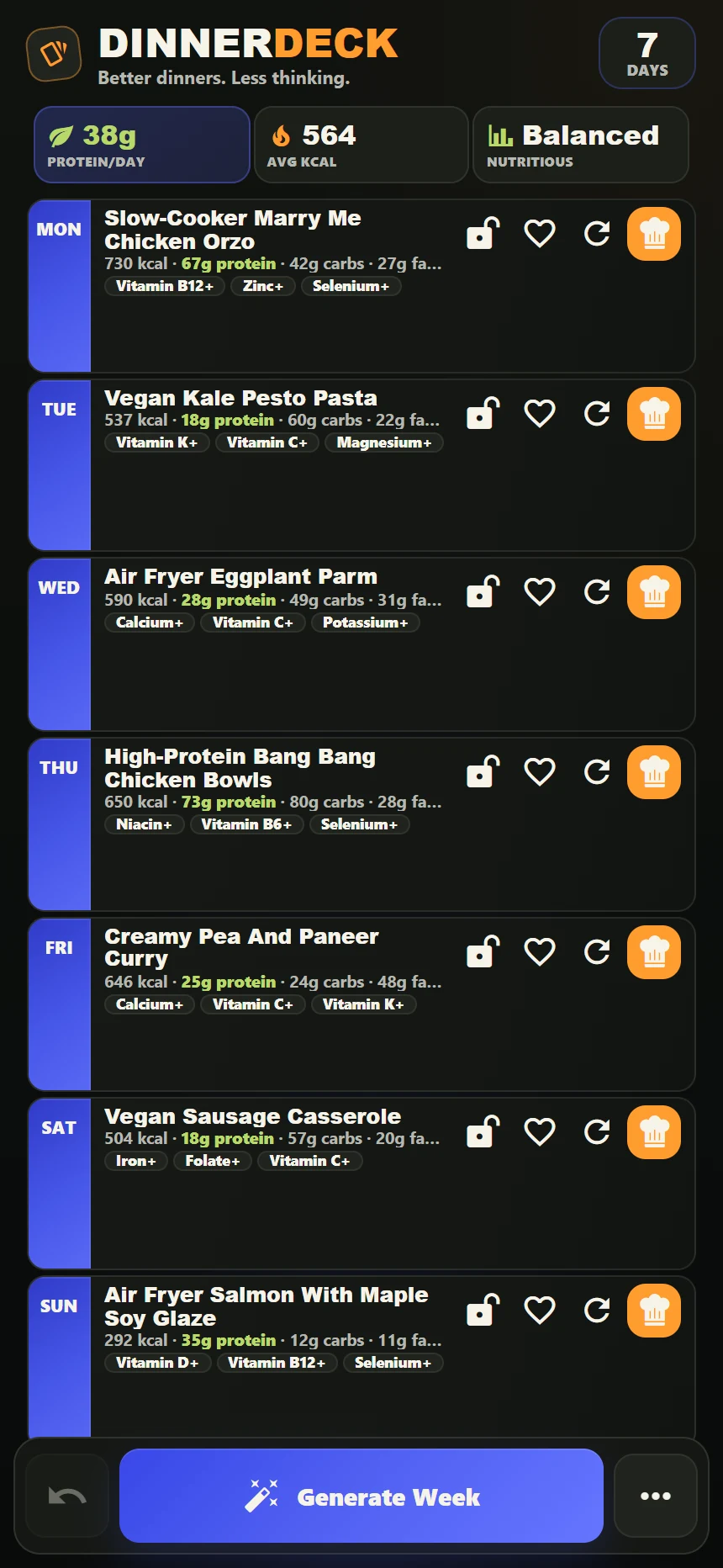
How DinnerDeck’s meal planner works
Choose your generation options
Start with the kind of dinners you want. The app includes high-protein, low-calorie, viral, air-fryer, one-pan, one-tray, vegan, vegetarian and gluten-free options.
Generate seven dinner ideas
Build a starting plan from the recipe database. Review each meal, including its method and estimated nutrition, to decide whether it suits your week.
Lock the keepers and swap the rest
Keep a meal in place while changing other choices. You can shape the plan around what you fancy instead of accepting every generated dinner.
Save the week and review your shopping list
Save a plan you like for another time. The app brings together the ingredients from your week in its shopping-list view.
Start with the way you like to cook
A busy week can call for familiar choices; another might have room for something new. Explore traybake ideas, vegetarian dinners or the viral recipe collection to find names that appeal before opening the app.
The filters help narrow the choices. Always check the complete ingredients, serving information and method before deciding what to cook.
A practical routine for next week
Look at your diary before planning, check what you already have and leave room for existing dinner arrangements. A generated plan is useful when you make it fit your routine.
Our guide to planning a week of dinners walks through those decisions, with a flexible seven-day outline and a shopping-list checklist.
Meal planner questions
Can I change one meal without changing the whole week?
Yes. Swap individual meals and lock the ones you want to keep. This lets you adjust the generated plan around your preferences.
Can I save a meal plan for later?
Yes. DinnerDeck includes saved weeks as well as favourite recipes, so you can return to plans and meals you enjoyed.
Does this plan breakfast and lunch too?
DinnerDeck’s seven-day generator focuses on dinners. When preparing your shop, account separately for breakfasts, lunches, snacks and other household items.