From selected meals to a grocery list
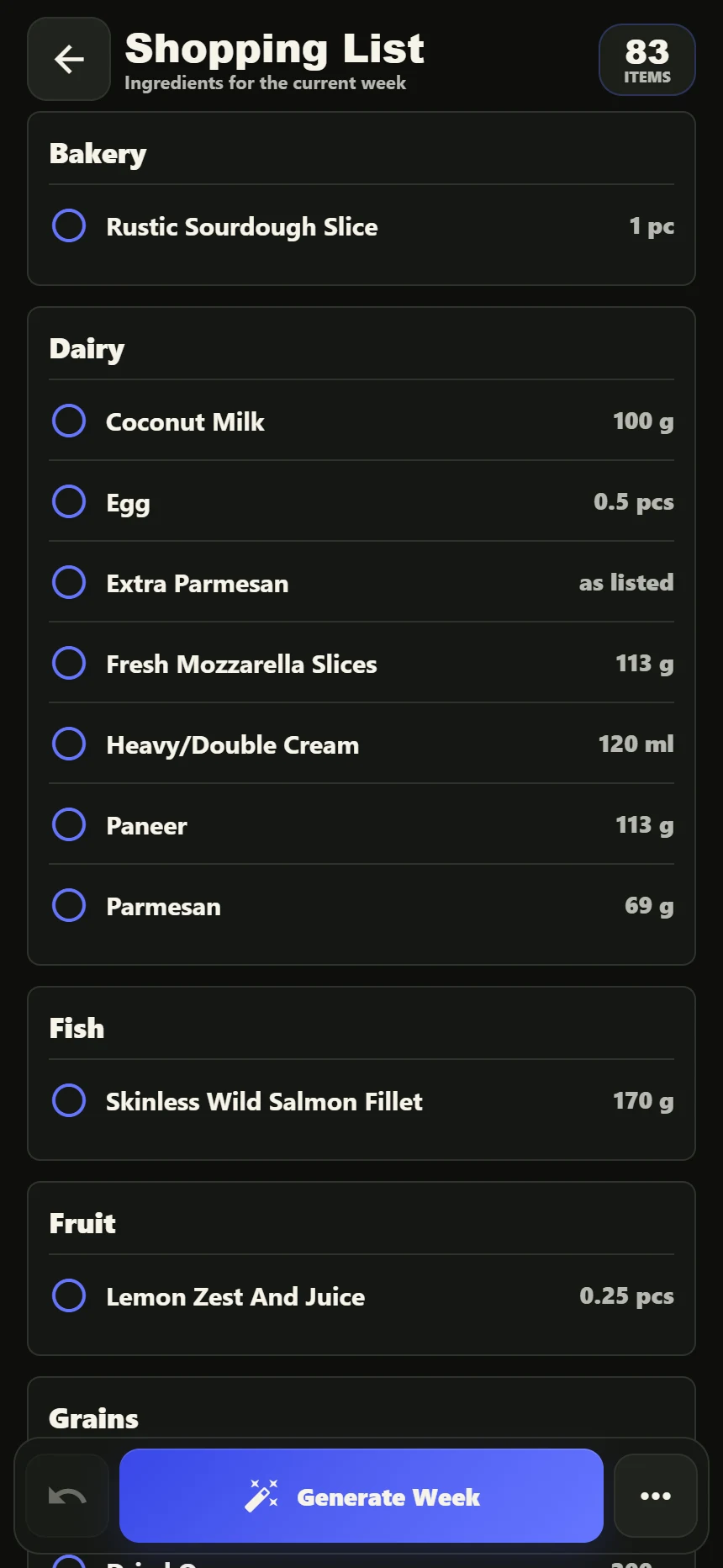
Once you have chosen your dinners, the app creates a shopping list from their ingredients. You can review what the week needs in one place instead of moving between each recipe while you shop.
DinnerDeck groups items into sections and adds together matching ingredients where the quantities use the same units. Ingredients with different units or preparation notes may appear separately, so review the list before buying.
Three checks before heading to the shops
Finish choosing your dinners
Use the meal planner to swap any meals you do not want. Check the full recipes and serving information in the app.
Check your cupboards
Compare the list with what you already have. The app does not automatically know what is in your kitchen, so this is a useful step before shopping.
Review, then tick as you go
Use the list’s checkboxes while shopping. Remember the items outside your dinner plan, such as breakfast, lunch and household essentials.
Changed your plan? Review the list again.
The shopping list is based on the current week’s meals. Swapping a dinner can change what you need to buy, so make your changes before shopping where possible and review the updated list afterwards.
For a complete routine from choosing dinners to preparing the shop, follow the weekly meal-planning guide.
Shopping lists questions
Is the shopping list made from my dinner plan?
Yes. DinnerDeck builds the list from the ingredients in your current week’s recipes and groups the entries into sections.
Can I tick off items while shopping?
Yes. The app’s shopping-list view includes checkboxes for marking items as you go.
Can I order groceries from this website?
No. DinnerDeck helps you prepare and use a shopping list in the iOS app. The website does not offer grocery checkout or supermarket delivery.